
Built-in models included
Ecila for conversation and Airam for coding come ready to use — no key, no setup — within your plan's limits.
Ecila 1.0Airam 1.0
Use the built-in models or connect your Claude, ChatGPT, Gemini and other subscriptions. Run AI on your own PC, create images and videos and share the conversation with your team — on your phone, your computer and the web.
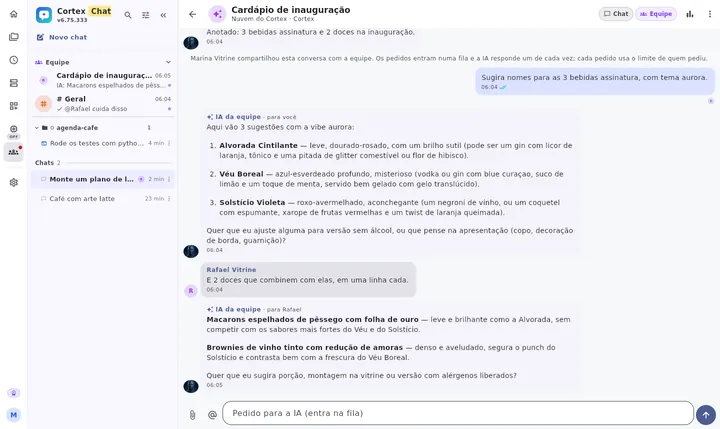

One account. Every screen.
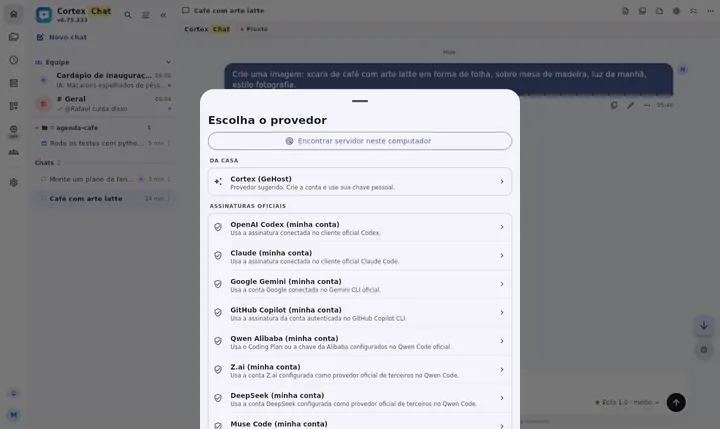
Each conversation picks its engine: the built-in models included in your plan, your subscription to another AI, or an API key. In Code, if your subscription or key runs out of credit or quota, the conversation can continue on the backup engine you allowed.
Ecila for conversation and Airam for coding come ready to use — no key, no setup — within your plan's limits.
On desktop, use the account you already pay for — Claude, ChatGPT/Codex, Gemini, GitHub Copilot, Qwen, Z.ai (GLM) and DeepSeek — through each vendor's official client, kept up to date automatically.
OpenAI, Anthropic, Gemini, DeepSeek, Groq, OpenRouter, xAI, Mistral, Z.ai or any OpenAI-compatible endpoint.
In Code, did your subscription or key run out of credit or quota? The conversation continues on the next engine you allowed. For other errors, Cortex shows the reason and never swaps models behind your back.
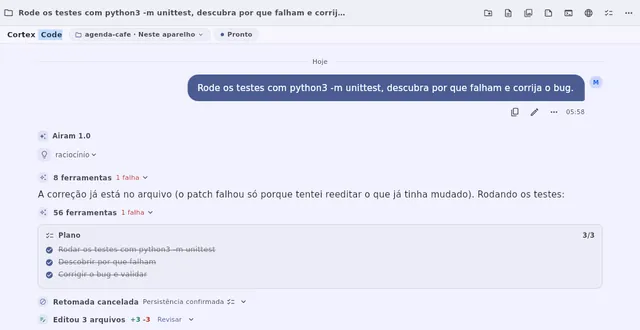
In Code mode the AI reads the project, runs commands and tests, edits files and shows what changed. Actions on your computer ask for your approval.
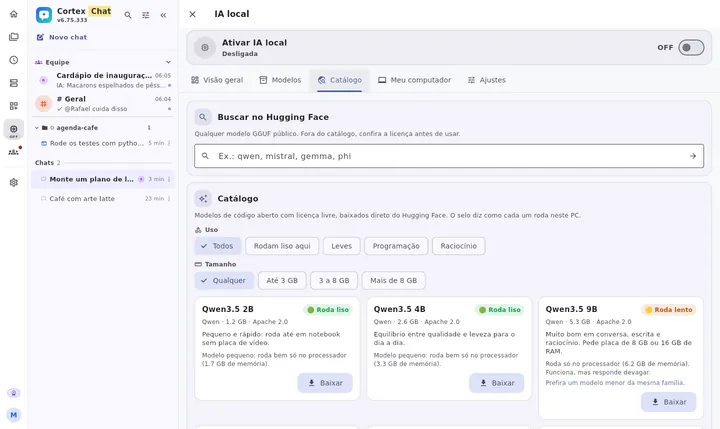
On Windows, Mac and Linux, Cortex checks your computer, shows which open models run well on it and downloads them straight from Hugging Face. No terminal: one tap to turn it on or off.
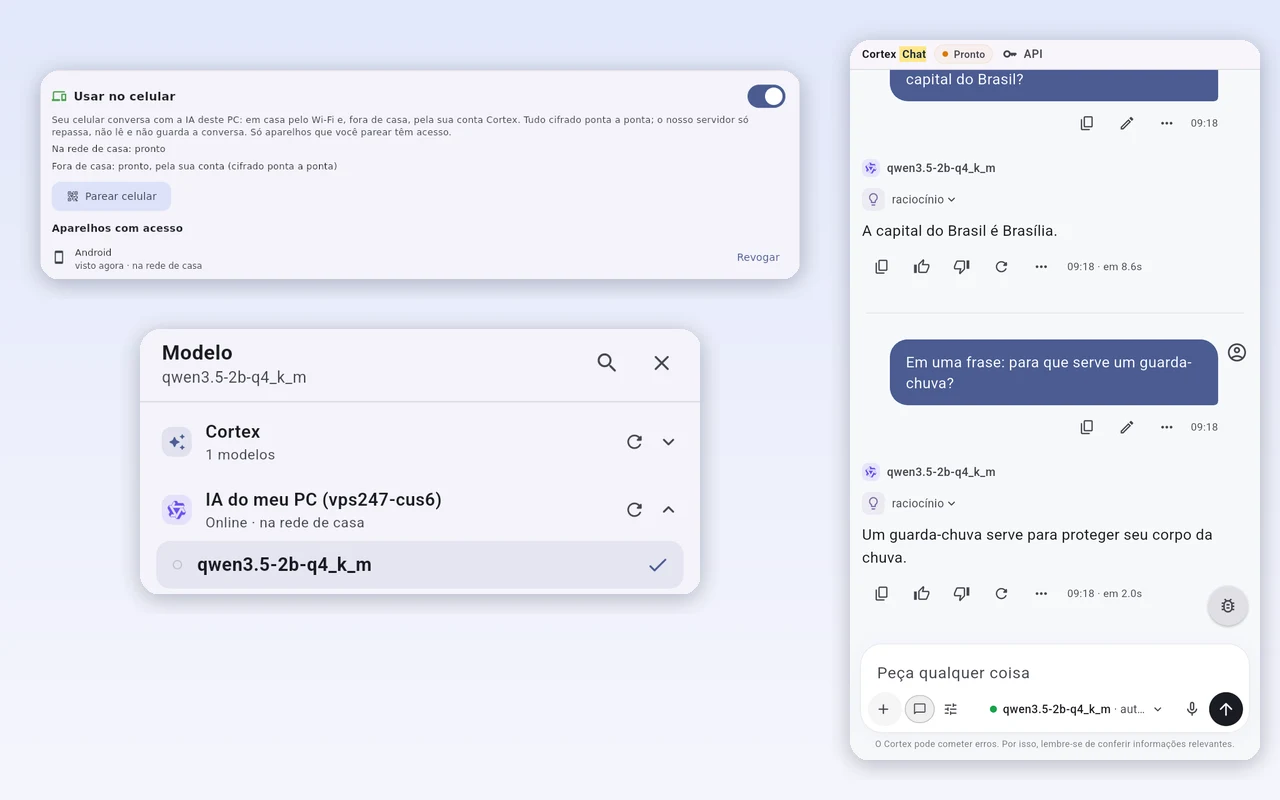
No more copy-pasting what the AI said. Bring up to 3 people into one of your chats, or create a team space with channels, tasks and an AI that learns with you.

On any plan: from the “…” menu of a chat or code, invite up to 3 people. Everyone sees the history, requests go into a queue and each person uses their own limit.
Mentions, reactions, attachments, read receipts, photos and live “typing…”, on phone and desktop.
Ask in the channel. If the AI doesn't know, it asks whoever decides, brings back the answer and saves it to the team memory.
“@name take care of this” becomes a task with an owner. Invite by email or link, with owner, admin and member roles.
The Team space (channels, team AI, tasks and memory) is part of the Cortex Max.
Images created from a sentence and short videos from text or a photo, with a card showing real progress until it's ready.
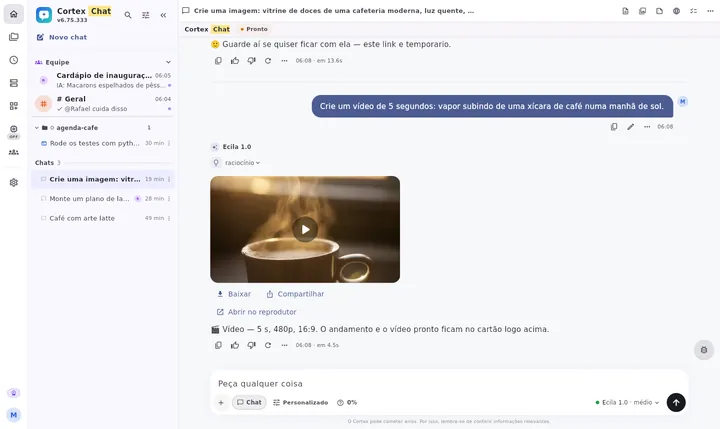

Describe it and get the image in the conversation. Every plan includes cloud space to keep your conversation images.
5 to 8 second clips from text or a photo. The video finishes and is saved even if you close the app.
AI video is part of the Cortex Max.
What's created in your conversations is stored on your device first and shows up on your other devices. Filters by type, source and date, search and full screen.
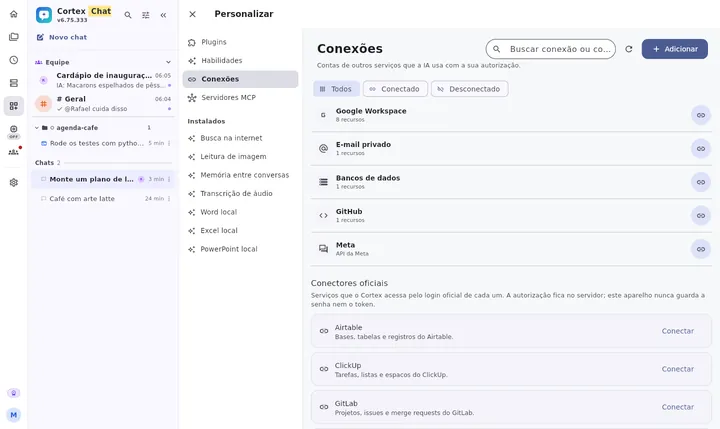
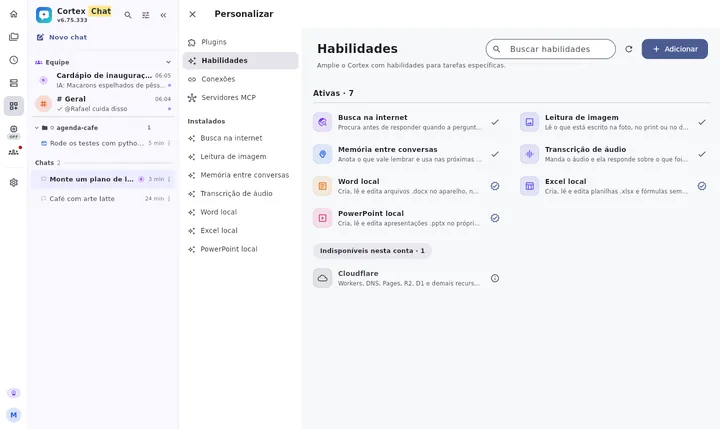
Plugins, skills and connected accounts on a single screen. The AI uses each connection with your permission.
Google Workspace, GitHub, GitLab, Notion, Jira and Confluence, Linear, ClickUp, Airtable, Supabase, Zapier and more, through each service's official sign-in.
Web search, image reading, memory across conversations, audio transcription and real Word, Excel and PowerPoint files.
On desktop, the AI opens and tests pages in the connected browser and uses the terminal and files, always with visible approvals.
One inbox for your WhatsApp Business chats, with AI reading, summarizing and drafting (sending always needs your yes) and your team answering together. Chats stay on your device. Cortex Pro and Max.
On your phone, text appears in the field while you speak, with punctuation.
App and website in Portuguese, English and Japanese, down to dates and numbers.
Conversations, library and memories follow you from phone to computer to the web.
Actions on your computer ask for approval, and local AI stays off until you turn it on.
After an update, a notice shows what changed, with an image and in your language.
Background tasks let you know when they finish, and your reply stays in the same conversation.
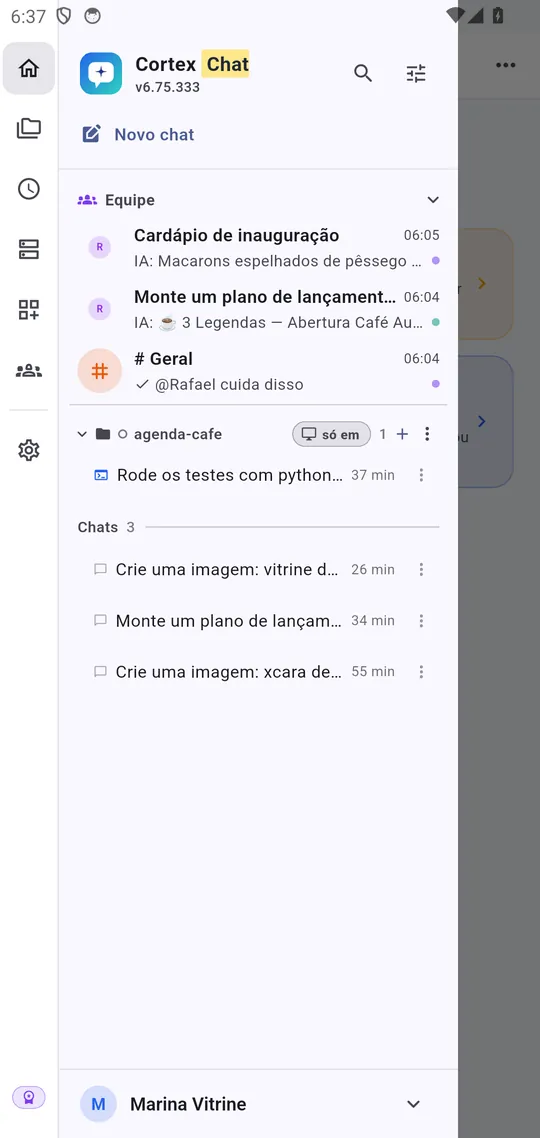
Android and iPhone with the same account: full-screen conversations, shortcuts in a slim column that opens with », Teams and Library.
Prices and limits come from the same catalog the app uses. Subscribe on Cortex Web or inside the app.
Versions and links update automatically from the official releases.
Native, offline, multimodal chat with your providers.
The same native app, with your account, Teams and Library.
Coding, chat, files, terminal, and desktop sync.
The same desktop app, built for macOS.
The same desktop app, built for Linux.
Open it in your browser, nothing to install, same account.
The same account, in your terminal. One binary, no runtime and no administrator. The tools run in the folder you called them from — and none of them leaves it.
curl -fsSL https://cortex.gehost.com.br/cli/instalar.sh | bashirm https://cortex.gehost.com.br/cli/instalar.ps1 | iexThe same text and screenshot shown in What’s new inside the app, in Portuguese, English and Japanese.
—
See all updates →—
See all updates →No. The Cortex Livre plan is free, with Chat, Code, local AI and connections within a daily limit. Paid plans raise the limits and unlock the GeHost cloud; the top plan also unlocks the Team space and video.
Yes, in the desktop app: connect the account through each vendor's official client. Usage with your subscription or key is billed by it, not by Cortex.
Without an account, everything stays on the device. With an account, conversations and library sync across your devices, and generated images and videos are stored on the device first. Local AI runs on your computer, and the bridge to your phone is end-to-end encrypted.
Each request uses the limit of whoever asked. The team owner can turn on “the team pays”, with a cap per person.
The executor is not hidden: actions, permissions, plan, checkpoints, files and results stay attached to the conversation. Confirmation follows your policy and system or service permissions.
Current plans are manual purchases and do not promise automatic renewal. Your account shows your plan and available access period.
Start free in your browser or download the app for Android, iPhone, Windows, Mac or Linux.