
Messenger and AI chats
Version 6.75.518Messenger contains Chats, Groups, People and Customer Service. The AI chat area has an inbox for notices, reports and routines.
Step-by-step guide →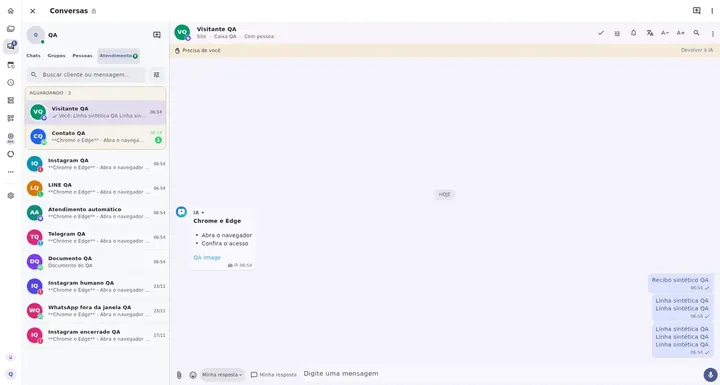
Since 6.75.518, you can talk to friends, teams and customers in Messenger. The inbox for notices, reports and routines is in the AI chat area.
Platforms: Android, iPhone, Windows, macOS, Linux and the browser. Each channel gets each version at its own pace; the full list is in What's new.
Messenger contains Chats, Groups, People and Customer Service. The AI chat area has an inbox for notices, reports and routines.
Step-by-step guide →Gather conversations about the same subject into groups with a name, emoji and colour; every sidebar section opens and closes. Lock with a password what is only yours: the content leaves the list, search and notifications. Share a group read-only or to read and chat.
Step-by-step guide →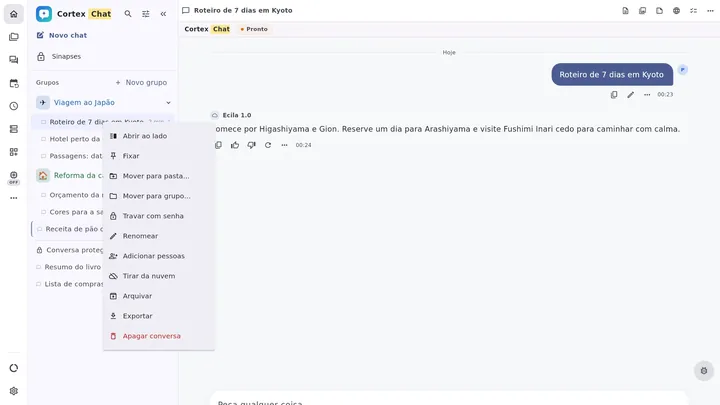
Archive from the conversation menu or use “Archive old” on a group. Automatic notices idle for 2 days move to Archived on their own, with search and Unarchive.
Step-by-step guide →Day, week, month, list and year, with colour-coded events, meetings and to-dos next to your scheduled tasks. Drag to reschedule. Event invites arrive in the chat with Accept, Maybe and Decline.
Step-by-step guide →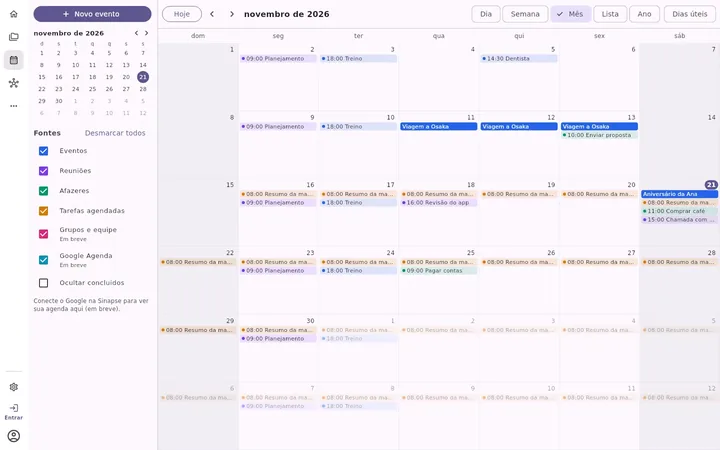
Your notes become a live graph: topics as dots, notes around them, instant search and filters. Cortex finds your Obsidian vaults and mirrors the notes with your permission.
Step-by-step guide →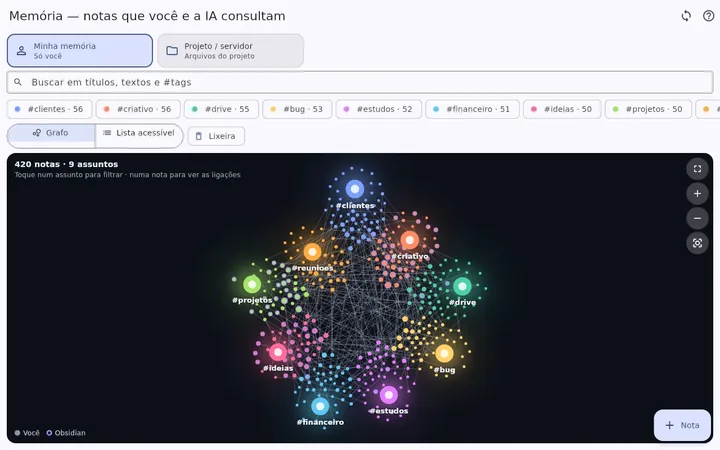
WhatsApp Business, Messenger, Instagram, LINE, Telegram and your website chat in one inbox, with an AI that suggests or answers only where you allow (Pro and Max plans).
Step-by-step guide →Both. Use Messenger to talk to people and the AI area to chat with agents and open the production inbox.
No. The Cortex Free plan costs nothing and has a daily limit. Paid plans raise the limits and unlock features such as Messages and the AI agent (Pro and Max).
Yes. Lock it with a password: it shows as “Protected conversation” and its content stays out of the list, search and notifications.
No. Archived has search and Unarchive; nothing is deleted.
An account. During this phase, People is enabled per account for beta participants and requires verified adulthood and acceptance of the Contacts terms; requests must be accepted and can be declined.
Cortex support is run by AI. Step-by-step guides are in the wiki.